Do you want your project to run for weeks or even months on battery power?
Then power management is one of the first things you need to understand.
This is often the difference between a system that lasts only a couple of days and one that can keep running throughout the full deployment period.
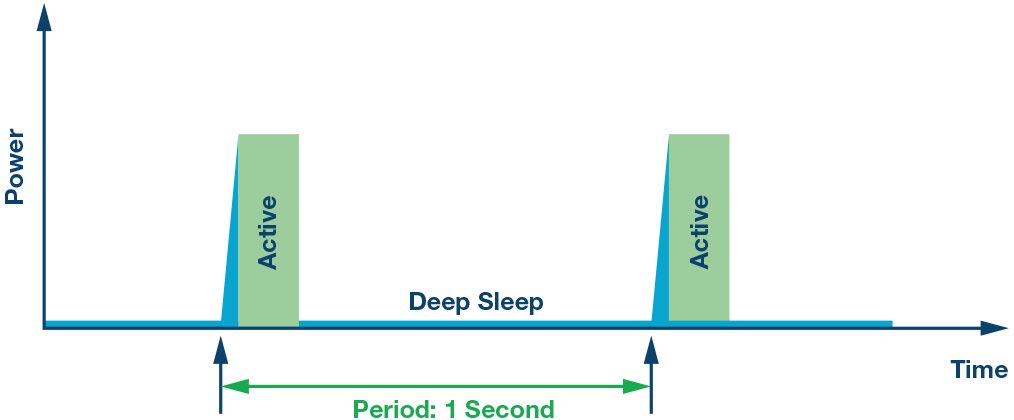
The attached image below introduces the general idea.
What Is Low Power Mode?
Low power modes are operating states that reduce processor power consumption when the system has no active work to do.
Instead of keeping the microcontroller fully active all the time, the system can temporarily disable or reduce the activity of some components until it needs to work again.
The most common low-power states include:
- Sleep
- Deep Sleep
- Hibernate
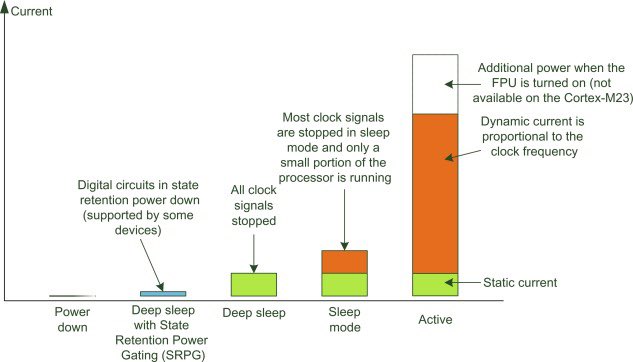
Each mode disables different parts of the system such as the CPU, RAM, and peripherals, depending on the required balance between power saving and wake-up speed.
What Is the Difference Between Them?
The main difference between these modes is how much of the device remains powered and how quickly the system can return to normal operation.
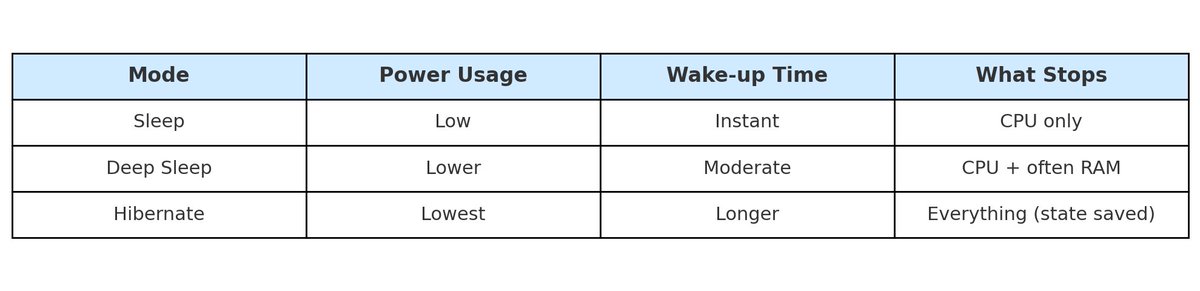
- Sleep: saves some power while allowing a relatively quick wake-up.
- Deep Sleep: shuts down more internal components and provides much greater power savings.
- Hibernate: is usually the lowest power state, but wake-up may take longer depending on the hardware platform.
ESP32 Example
A practical example is the ESP32.
If you use esp_deep_sleep_start(), current consumption can drop from around 80 mA to nearly 10 µA.
This is a major difference. In practice, a 1000 mAh battery could last for months depending on how often the device wakes up and how long it stays active.
How to Start Using Low Power Modes
- Identify when your device actually needs to be active.
- During idle periods, move the system into a low power state such as Deep Sleep.
- Wake the device using a timer or an interrupt source such as motion, touch, or temperature events.
Useful Techniques
- Use the RTC Timer to wake the device on schedule.
- Use wake-on-interrupt from a button, motion sensor, or another external trigger.
- Disable Wi-Fi and Bluetooth during sleep whenever they are not needed, since they consume significant power.
How to Measure Power Consumption
If you want to verify the improvement in real numbers, measure the actual current draw of the system.
You can use tools such as:
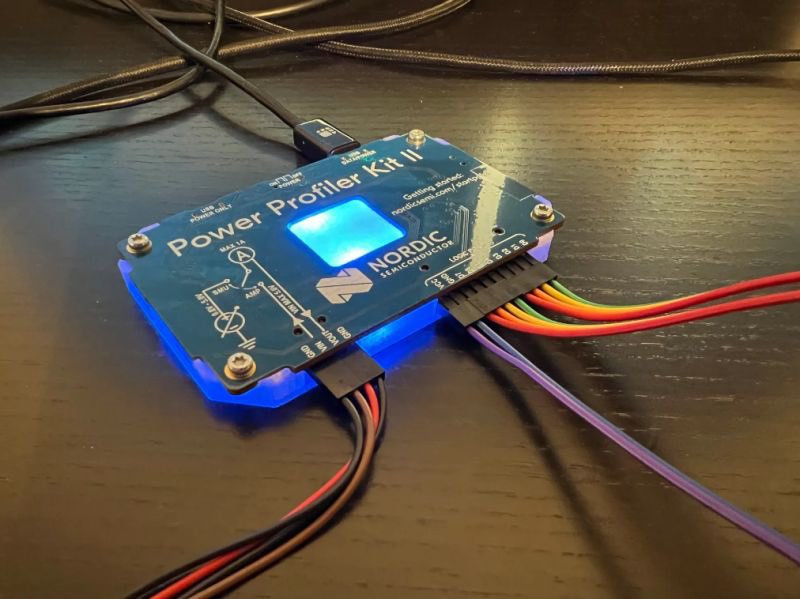
- Power Profiler Kit
- USB multimeter
- INA219 with Arduino
These tools help you see the power difference directly instead of relying only on assumptions.
Applications That Benefit from Low Power Modes
- Wearable devices
- GPS tracking systems
- Battery-powered environmental sensors
- Internet of Things (IoT) projects
Conclusion
Low power design is not an optional extra in embedded systems. In many battery-powered projects, it is a core requirement.
If you have already used sleep modes in one of your projects, then you have already seen how important proper power management can be.
Understanding when the system should sleep, when it should wake up, and how to measure the actual savings can greatly improve the quality and lifetime of your design.